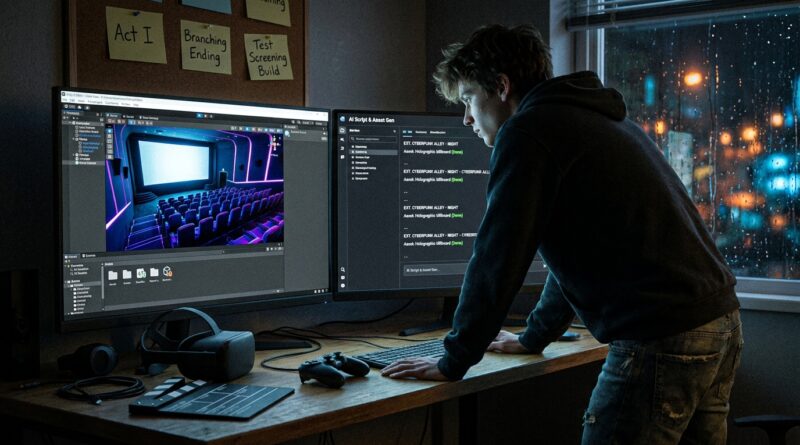
Tonight’s Unity AI Open Beta Shortcut: How To Turn A Free Game-Dev Tool Into Your Own Interactive Cinema Lab
You are not crazy for feeling locked out of the “AI-made games” conversation. A lot of the chatter around the Unity AI open beta early access sounds like it was written by people with monster PCs, years of coding practice, and a very high tolerance for forum jargon. If you are a film fan, a story nerd, or somebody who just wants to build a scene where choices matter, that can feel exhausting fast. The good news is that Unity’s in-editor AI tools opening up to Unity 6 users creates a much more realistic entry point than the hype suggests. You do not need to start by building the next giant open-world game. You can use this moment to make something smaller, smarter, and more cinematic. Think interactive short film, mood piece, branching dialogue scene, or proof-of-concept trailer you can actually click through. That is where this beta gets interesting for regular people.
⚡ In a Hurry? Key Takeaways
- Yes, the Unity AI open beta early access is a real chance for non-pros to start building interactive story scenes on Unity 6 without mastering everything first.
- Start with a 3 to 5 minute “interactive cinema” project, not a full game. One room, two characters, three choices.
- Free beta tools can save time, but they will not fix weak writing or messy project scope. Keep your first test small and focused.
What Unity’s open beta actually means for normal people
Here is the plain-English version. Unity has opened access to its in-editor AI toolset for people using Unity 6 and above. That matters because it brings AI help closer to where the work happens, inside the editor, instead of forcing beginners to juggle extra apps, scripts, and complicated pipelines.
For a regular user, that can mean getting help with setup, content generation, workflow shortcuts, and scene building without needing to speak fluent developer. It does not turn game creation into pressing one magic button. Nothing does. But it can remove enough friction that your idea gets off the napkin and onto the screen.
That is the real story here. Not “AI will make games for you.” More like, “AI may help you build a convincing interactive scene before you lose momentum.”
Why this matters more to movie lovers than to hardcore coders
A lot of people looking at the Unity AI open beta early access are not trying to make a 40-hour RPG. They want to create a mood. A moment. A scene with tension. A branching conversation. A horror short where the viewer picks which door to open. That is much closer to interactive cinema than classic game design.
If that is you, this beta is worth your time because it lowers the barrier to prototyping. You can think like a director first and a developer second.
Start with the language you already know
If you understand shots, pacing, dialogue beats, sound cues, and emotional turns, you already have useful skills. Unity can be the stage. AI can help with some of the glue work. Your job is to decide what the audience sees, hears, and chooses.
Forget “full game” thinking for now
The fastest way to quit is to plan too big. The best early projects are tiny and polished. One apartment hallway. One interrogation room. One dream sequence. Three choices. Two endings. That is enough to learn a lot.
This is the same basic mindset we see with other early-access tech drops. People who get the most from them usually treat them like preview passes, not life commitments. That is part of why pieces like Tonight’s Temple Brain‑Wearable Early Access: How To Turn A 100‑Unit Hardware Drop Into Your Own Health Tech Preview Pass resonate so much. Early access is most useful when you enter with one clear question: what can this thing do for me right now?
How to use Unity AI as your interactive cinema lab
Think of Unity as a digital soundstage. Your goal is not to “make a game” in the biggest sense. Your goal is to block scenes, test pacing, and add just enough interaction to make the audience feel involved.
Step 1: Pick a scene, not a genre
Do not start with “I want to make a sci-fi adventure game.” Start with “I want to make a 4-minute scene where the player chooses whether to trust the stranger on the radio.”
That gives you boundaries. Boundaries are good. They save projects.
Step 2: Build one environment that can carry emotion
You only need one good location to make something memorable. A subway platform at midnight. A hospital waiting room. A car parked outside a house. If the lighting and audio are right, one location can do a lot of heavy lifting.
Step 3: Use AI for speed, not for taste
This is important. AI can help you move faster. It cannot tell you what feels human, tense, sad, funny, or beautiful with any reliability. Use the tools to speed up repetitive work or brainstorm options. Keep your creative judgment switched on.
If a generated bit of dialogue sounds flat, cut it. If a suggested workflow saves you half an hour, keep it. That is the right relationship.
Step 4: Add meaningful choices, not lots of choices
Interactive cinema works when choices feel loaded. You do not need twelve branching paths. You need two or three decisions that change tone, trust, or information. Players remember meaningful forks more than busy menus.
Step 5: Export a proof of concept
Your first win is not a store launch. It is a playable scene you can send to friends, post privately, or use in a pitch deck. If somebody says, “I want to see what happens next,” you are onto something.
What you can realistically make this month
Let us keep this grounded. If you are new, a realistic first project during the Unity AI open beta early access looks like this:
- A 3-minute suspense scene with two choices and one ending
- A branching dialogue test with simple camera cuts
- A visual novel style scene with stronger sound and lighting
- A “vertical slice” trailer for a bigger idea
- A festival concept piece that proves tone and interaction
All of those are achievable. None require you to become a full-stack game studio overnight.
The big split in the conversation, and why it helps you
Right now, the debate is loud. One side says AI tools will save solo creators time. The other says they will flood stores and social feeds with low-effort junk. Both points have some truth in them.
But here is why that tension is actually useful for you. During this stage, the tools are still being judged, shaped, and stress-tested in public. That means regular users still have a chance to influence what “good use” looks like.
If thoughtful people jump in now and make story-first prototypes instead of shovelware, that helps set expectations. It shows that AI in Unity can support craft instead of replacing it.
What to watch out for before you get too excited
This part matters just as much as the fun part.
Do not confuse faster setup with finished art
A fast prototype is still a prototype. You will still need editing, testing, pacing fixes, and probably rewrites. Good work is still good work.
Your computer does not need to be heroic, but it does need to be decent
You probably do not need a $3,000 rig to experiment. But Unity projects can still get heavy, especially once you start piling on lighting, textures, and extra assets. Keep your first build lean.
Check licensing and asset rights
Any time AI or generated content enters the picture, pause and read the terms. If you plan to publish, submit, or sell your work later, you need to know what is allowed.
The market may get noisier
Yes, more junk will probably appear. That is not a reason to avoid the tool. It is a reason to make something with a point of view. Taste becomes more important when volume goes up.
A simple starter plan for tonight
If you want to test the Unity AI open beta early access without getting overwhelmed, do this tonight:
- Install or update to Unity 6.
- Open the AI beta tools available in the editor.
- Create one small scene in a single location.
- Write a one-page script with one choice in the middle.
- Add basic lighting, camera framing, and one sound cue.
- Make the choice change one visible outcome.
- Export and share it with one friend.
That is enough for a first session. If it feels promising, expand later. If not, you learned something for free.
At a Glance: Comparison
| Feature/Aspect | Details | Verdict |
|---|---|---|
| Ease of entry | Much better than old-school game-dev workflows, but still easier if you keep scope small and use Unity 6. | Good for curious beginners, if they think “short film” not “epic game.” |
| Best use case | Branching scenes, cinematic prototypes, dialogue tests, mood-heavy interactive shorts. | Excellent for proof-of-concept work. |
| Biggest risk | People may rush out sloppy content and assume the tool can replace story craft, editing, and taste. | Use it as a helper, not as your director. |
Conclusion
There is a real opening here. Unity just flipped the switch on its in-editor AI suite as an open beta for anyone on Unity 6 and above, and the argument around it is already split between “this will save solo devs” and “this will flood the market with junk.” For Previewers Network readers, that is not background noise. It is the opportunity. When a tool is this new, regular film and game fans still have room to shape how it gets used. So skip the pressure to build a giant game. Use the Unity AI open beta early access as your interactive cinema lab. Make one scene. Test one choice. Find one mood that works. If you do that now, while the field is still loose and the expectations are still forming, you could turn a free beta experiment into a polished proof of concept long before bigger studios lock in the playbook.