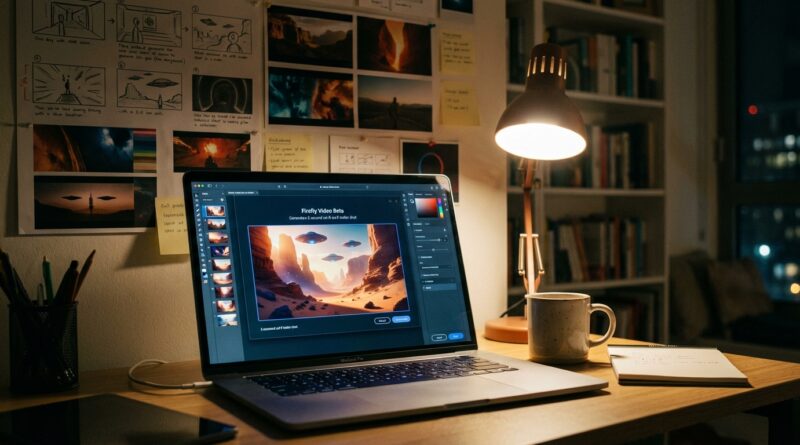
Tonight’s Firefly Backdoor: How To Turn Adobe’s New Video Beta Into Your Personal Trailer Lab
You have probably seen the flashy demos already. A spaceship here, a moody city shot there, lots of wow, not much help. That gets annoying fast when what you actually want is a usable workflow. If you are trying to get Adobe Firefly video public beta early access and turn it into something practical, the good news is this beta is open enough right now to be more than a toy. It can be a fast little trailer lab if you treat it that way from day one. The trick is not asking it for “a cool video.” The trick is building short, testable shots you can extend, cut together, and hand off to real editors. That matters if you make launch videos, festival teasers, app promos, or concept trailers and need rough cinematic footage now, not six months from now when everyone else finally catches up.
⚡ In a Hurry? Key Takeaways
- Adobe Firefly video public beta early access is best used for short trailer shots, not full scenes.
- Start with 3 to 5 second clips, then extend, upscale, and sequence them in your editor.
- Because it is still a beta, expect limits and weird results, but the free test window makes it a smart time to learn.
What Adobe quietly opened, and why it matters
Adobe has opened broader access to its Firefly video tools in public beta, and that changes the game a bit for regular creators. Before this, a lot of people were stuck watching polished demos from the sidelines. Now you can actually get in, click around, and test how text-to-video and image-to-video fit into real creative work.
That is the important part. Real work. Not just “look what I made in ten seconds.”
For Previewers Network members, this is a rare sweet spot. You are getting hands-on time with a major studio-adjacent tool while the usage is still relatively open during the beta period. That means you can learn the weak spots, spot the strengths, and build habits before every YouTube “guru” starts recycling the same five prompt tricks.
How to get Adobe Firefly video public beta early access
The process is simple enough, but it helps to know what you are looking for. Head to Adobe Firefly through Adobe’s website, sign in with an Adobe account, and look for the video generation beta area. Adobe has been surfacing public beta access more openly, though availability can still vary by region, account status, or rollout timing.
What you should have ready first
Before you click generate, have these three things ready:
- A one-line concept for your trailer.
- A short list of 4 to 6 shots.
- A folder of reference stills, color ideas, or mood notes.
If you skip that prep, you will burn time making random clips that look neat but do not fit together.
A good first test prompt
Keep your first prompt plain and visual. For example:
“Low-angle cinematic shot of a lone runner crossing a rain-soaked neon street at night, shallow depth of field, dramatic lighting, slow camera push.”
That is better than “make an epic cyberpunk trailer.” One gives the model a shot. The other gives it a vague wish.
Stop trying to make a whole movie
This is where most people waste the beta.
Firefly video works best right now when you ask for small, focused pieces. Think of it as a shot machine, not a finished-film machine. If you want a personal trailer lab, build in fragments.
The best beta mindset
Use Firefly to create:
- Opening hero shots
- Atmosphere inserts
- Transition footage
- Establishing scenes
- Quick concept visuals for pitches
Do not expect perfect acting, long continuity, or detailed story logic across multiple clips. Not yet.
The sweet spot length
Short clips are your friend. A 3 to 5 second result is easier to control, easier to reuse, and easier to hide imperfections inside a faster trailer cut. That is exactly how many real teasers work anyway. Quick cuts. Strong mood. Just enough story to pull you in.
A simple trailer-lab workflow that actually works
Here is the easiest way to turn this beta into something useful.
Step 1: Build a six-shot mini trailer
Draft a shot list like this:
- Wide establishing shot
- Close emotional detail
- Fast movement shot
- Mystery insert
- Hero reveal
- Logo or title end card
This gives you structure before you generate anything.
Step 2: Make each prompt match one shot only
Write separate prompts for each shot. Keep camera movement, lighting, and mood consistent. If shot one is cool blue and rainy, shot four should not suddenly look like a warm desert unless that contrast is intentional.
Step 3: Generate variations, not endless new ideas
When you get something close, do not throw it away and start over with a totally different prompt. Make small changes. Switch “slow camera push” to “tracking side shot.” Change “misty dawn” to “foggy twilight.” Beta tools improve faster when you iterate in small steps.
Step 4: Extend the winners
Once you have one or two promising clips, use the extension tools if available in your account. This is where the trailer lab idea gets interesting. You are not just generating a clip. You are stress-testing whether a moment can breathe for another second or two without falling apart.
If it breaks visually, that tells you it should be a cutaway shot. If it holds together, now you have a stronger anchor for your teaser.
Step 5: Upscale only the clips you plan to keep
Do not waste time polishing every experiment. Pick your best 2 or 3 clips first. Then upscale or export the highest quality versions you can get. It is the same rule photographers use with burst shots. Keep the winners, not the whole contact sheet.
How to prompt for footage that feels cinematic
People often assume “cinematic” is a magic word. It is not. It helps a little, but specific visual language helps much more.
Use this prompt formula
Subject + setting + camera angle + movement + lighting + mood + lens/style cues
Example:
“A young inventor standing alone in a cluttered workshop, medium close-up, handheld camera drift, warm practical lighting, tense and hopeful mood, soft film grain, shallow depth of field.”
Words that usually help
- Low-angle
- Wide shot
- Close-up
- Tracking shot
- Slow push-in
- Golden hour
- Neon-lit
- Moody shadows
- Shallow depth of field
- Film grain
Words that often cause mush
- Epic
- Best ever
- Amazing
- Masterpiece
- Super detailed story scene with many actions
Those are not instructions. They are vibes. The model needs instructions.
How to make the clips fit together later
This is the part many first-time testers miss. A trailer is not just a set of pretty shots. It is a set of shots that feel like they belong to the same world.
Keep these constant across prompts
- Color palette
- Time of day
- Camera style
- Subject wardrobe or silhouette
- Overall emotional tone
Even if continuity is not perfect, repeating those elements makes the final edit feel intentional.
Use your editor as the glue
Adobe Firefly is the shot maker. Your editor is the storyteller. Drop your clips into Premiere Pro, CapCut, DaVinci Resolve, or whatever you already know. Add sound design early. A weak visual clip often feels much stronger once you add a bass hit, rain audio, a whoosh, or a title card.
That is the secret. Trailers are sold by rhythm as much as image quality.
Where this beta is strongest right now
Firefly’s current video beta feels most useful for concept development and short-form promotional work.
Great uses
- Indie film teasers
- App launch trailers
- Mood reels for clients
- Pitch decks with moving visuals
- Social promo clips
Less great uses
- Long dialogue scenes
- Precise character acting
- Complex multi-step action
- Anything needing perfect continuity from shot to shot
If you stay in the first list, you will probably come away impressed. If you demand the second list, you will probably come away annoyed.
What to watch for in a public beta
Public beta access is exciting, but it is still beta access. That means limits can change, exports may be capped, generations can queue slowly, and features can move around with little warning.
Three smart habits
- Download and label your best outputs right away.
- Keep a note of the exact prompts that worked.
- Save alternate versions before trying major changes.
Also, be careful with client promises. Tell people you are testing early-stage footage generation, not delivering magic on command. That keeps expectations sane and makes your wins look better.
Why Previewers Network members should jump in now
Most people wait for polished tutorials. That feels safe, but it also means showing up late. Right now you can learn the quirks while access is still fresh and while many creators are still stuck making random demo clips with no plan.
That gives you a head start in a very practical way. If an indie director asks for a teaser concept next month, you will already know how to produce test shots. If a festival filmmaker needs a mood trailer, you will know how far this tool can go. If an app team wants launch footage with cinematic energy, you will not be starting from scratch.
That is the real value of Adobe Firefly video public beta early access. Not hype. Familiarity.
At a Glance: Comparison
| Feature/Aspect | Details | Verdict |
|---|---|---|
| Best use case | Short cinematic clips, teaser footage, concept visuals, mood shots | Very good for trailer testing |
| Workflow fit | Works best when paired with an editor for cutting, sound, titles, and pacing | Useful as part of a larger creative process |
| Beta limitations | Output length, continuity issues, occasional odd motion, shifting access rules | Worth using, but do not expect perfection |
Conclusion
This is one of those moments where getting in early actually means something. For Previewers Network members, it is a rare sweet spot: a newly opened beta from a major studio tool, free usage during the test window, and a direct line into workflows that real editors and motion designers are about to depend on. Jumping on it today means our community can learn to cut, extend, and up-res short cinematic clips long before the usual tutorial mills catch up. More importantly, it puts you in a strong position to give smarter feedback to indie directors, festival filmmakers, and app teams that need strong launch trailers next month, not next year. Start small. Build shot by shot. Treat Firefly like a trailer lab, and it becomes a lot more useful than the headlines make it sound.