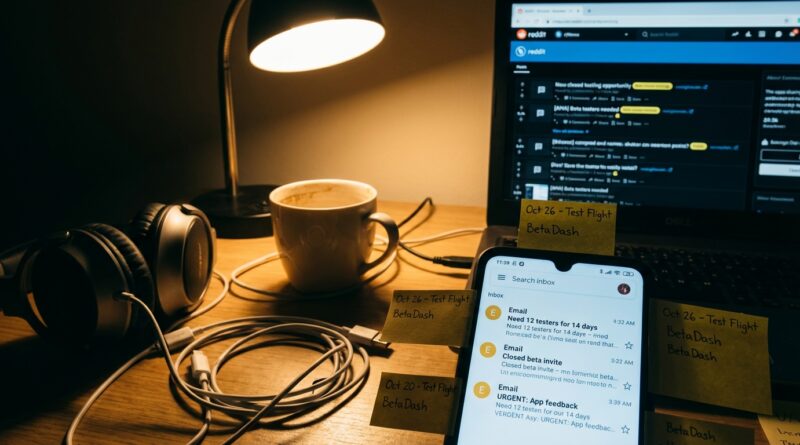
Tonight’s Closed-Test Shortcut: How To Turn Google Play’s 12‑Tester Rule Into Your Personal Beta‑Opportunity Feed
If you have ever looked at a “need 12 testers for 14 days” post and kept scrolling, I get it. It sounds like homework. But right now that annoying little Google Play requirement is creating one of the easiest ways to get early access to odd, useful, and sometimes brilliant Android apps before everyone else. Small developers are under pressure. They cannot publish until enough real people install and keep a test version around for two weeks. So they are posting invite links in Reddit threads, Discord groups, Telegram chats, and private Google Groups, hoping someone reliable shows up. That someone can be you. If you know where to look, and how to avoid the junk, the whole google play 12 testers 14 days closed beta opportunities rush turns into a steady feed of niche betas. Think indie games, habit trackers, creator tools, local utility apps, and passion projects you would never spot by browsing the Play Store normally.
⚡ In a Hurry? Key Takeaways
- Google’s 12-testers-for-14-days rule has created a constant stream of closed beta invites for regular Android users who are willing to install and keep test apps active.
- Search Reddit, Google Groups, and cross-testing communities for fresh posts, then join only the ones with clear instructions, real app details, and active developer replies.
- Stick to a separate test Google account, watch app permissions, and build a reputation as a dependable tester so better invites keep finding you.
Why this odd rule matters to regular people
Google’s newer Play Console process has put many small Android developers in a squeeze. If their account falls under the newer testing requirements, they may need at least 12 real testers who opt in and stay installed for 14 days before broader release becomes possible.
That is a headache for developers. For readers, though, it is an opening.
When creators are in a rush, they stop being precious about access. They share invite links earlier. They answer questions faster. They create little communities around their apps because they need actual humans, not bots or fake signups.
That means you can get into betas that would normally stay hidden inside a tiny circle of friends and followers.
Where the best posts are hiding
The obvious place is Reddit, but not just one subreddit. Posts often pop up in Android dev communities, indie app subreddits, solo developer groups, and even comment threads under unrelated “launching soon” posts.
Places worth checking regularly
Start with:
- Reddit communities for Android development and indie apps
- Google Groups used for closed beta opt-ins
- Discord servers for solo devs and makers
- Telegram groups built around app testing swaps
- X and LinkedIn posts from indie developers asking for testers
The key is timing. New posts matter most. A developer who needs 12 testers today is much more likely to respond than someone who posted last week and vanished.
If this sounds familiar, it overlaps nicely with The 14‑Day Beta Loophole: How Previewers Can Ride The Google Play Test Wave For Constant Early Access, which gets into how this closed-test system has quietly become a reliable early-access channel.
How to tell a real beta opportunity from low-effort spam
Not every “please test my app” post is worth your time. Some are badly explained. Some are abandoned. A few are just trying to collect installs with no real support behind them.
Green flags
- The developer explains what the app does in plain English
- There is a real opt-in process, usually via Google Group or test link
- The post says what kind of feedback is useful
- The developer replies to comments and questions
- Screenshots, a short demo, or a working landing page are included
Red flags
- No description beyond “need testers urgently”
- Broken links or missing instructions
- Demands for reviews before you have even tried the app
- Sketchy permission requests that do not match the app’s purpose
- Pressure to use your main Google account when there is no reason to
A good rule is simple. If the developer cannot explain the app clearly, you should not install it blindly.
How to join these betas without making a mess of your phone
You do not need to turn your daily phone into a science experiment. A little setup goes a long way.
Use a separate Google account for testing
This is the easiest safety step. Create a spare Google account just for beta access, newsletters, and Google Groups. That keeps your main inbox cleaner and gives you a little distance from random test invites.
Be picky about permissions
If a flashlight app wants contacts, or a simple notes app wants location all the time, pause. Some permissions are normal. Some are not. Read before tapping accept.
Keep a simple tracker
A notes app or spreadsheet is enough. Write down:
- App name
- Date installed
- Where you found it
- When the 14-day period ends
- Whether the developer was responsive
This sounds fussy, but it saves you from forgetting which apps still need to stay installed.
How to become the tester developers remember
Most people install, disappear, and never say a word. If you do slightly better than that, you stand out fast.
What “good tester” really means here
You do not need to write a formal bug report every night. Just be consistent.
- Install promptly after you join
- Keep the app installed for the full 14 days
- Open it more than once
- Send one or two useful notes if something breaks or feels confusing
- Be polite and specific
Specific feedback helps more than dramatic feedback. “The login button freezes after I paste my password on a Pixel 7” is gold. “App broken” is not.
Why this turns into better invites
Developers talk. Communities remember names. If you become known as someone who actually follows through, you will start seeing direct invites, not just public pleas.
That is where the best stuff usually appears first.
What kinds of apps you can expect
Do not picture only half-finished clones and rough school projects. Yes, you will see some of that. But you will also find apps built to solve very specific problems that big app stores bury.
- Niche productivity tools
- Small business helpers
- Habit and fitness experiments
- Photo and creator utilities
- Local community tools
- Indie puzzle and story games
This is the fun part. These are often apps made by people scratching a real itch, not giant companies chasing ad revenue.
A practical routine that takes ten minutes a day
If you want this to become a steady beta-opportunity feed instead of a one-off hunt, keep it simple.
Try this routine
- Check two or three Reddit communities once in the morning.
- Search for “12 testers,” “14 days,” “closed beta,” and “Google Group.”
- Open only posts from the last 24 to 48 hours.
- Join one or two promising tests, not ten at once.
- Log the install date.
- Send one useful piece of feedback if you can.
That is enough to keep a pipeline going without turning it into a second job.
What not to do
A few mistakes will make this less useful fast.
- Do not join every test you see just because it is available
- Do not promise feedback if you know you will not send any
- Do not post fake “I tested yours, test mine” messages if you are not actually participating
- Do not leave risky apps on your phone forever out of guilt
- Do not confuse a closed test with a polished final product
Remember what this is. Early access. Sometimes rough. Often interesting.
Why this window exists right now
The important part is timing. The rule is pushing lots of small developers into the same bottleneck at once. They need verified installs now. Not vaguely in the future. That makes them much more open to strangers who seem trustworthy.
And because many casual users still see these requests as spammy or annoying, there is less competition than you might expect. That is your opening.
At a Glance: Comparison
| Feature/Aspect | Details | Verdict |
|---|---|---|
| Finding opportunities | Best results come from fresh Reddit posts, Google Groups, and active cross-testing communities rather than waiting for public app store launches. | Worth checking regularly |
| Effort required | Usually light. Install the app, keep it for 14 days, and give occasional useful feedback if you want better future invites. | Low effort, high upside |
| Risk and safety | There is some risk with unknown apps, so use a separate Google account, review permissions, and skip vague or pushy requests. | Safe enough if you stay picky |
Conclusion
Most people see Google’s closed-test rule and think, “What a pain.” They are not wrong. But for Previewers Network members, that pain is exactly what creates the opportunity. Thousands of small studios and solo developers are being forced into the same narrow lane. They cannot go live without verified installs, and they need those testers quickly. That pressure has created a short-term gold rush of cross-testing offers, private Google Groups, and invite links tucked into comment threads that are openly asking for dependable people. If you learn to spot the real posts, join the right groups, skip the lazy spam, and act like a reliable 14-day tester, you turn a weird Play Console rule into an ongoing feed of early access. And not just any early access. The good stuff. Niche productivity tools, indie games, creator utilities, and passion projects you can try long before they hit the wider app world.