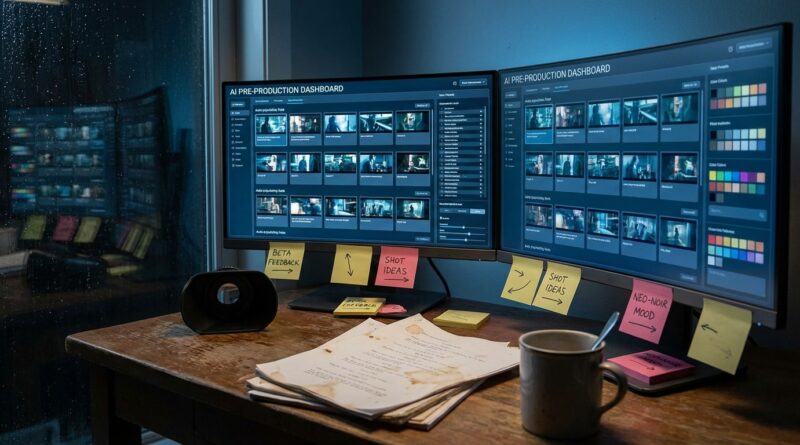
Tonight’s AI Film Lab Shortcut: How To Turn PrePrompt’s New Beta Into Your Personal Storyboard Machine
You know the drill. A flashy AI film demo pops up on your feed, everybody acts like the future arrived at lunch, and by dinner the invite list is locked, the tips are buried in private chats, and regular people are left staring at a signup form. That is annoying for anyone, but especially for filmmakers who do not need more hype. You need a tool you can actually get into tonight and use for real work. That is what makes PrePrompt Studio beta early access for AI filmmaking worth paying attention to right now. It is still in active beta, which means this is one of those rare moments when getting in early can actually matter. You are not just clicking around a polished demo. You are testing, building, giving feedback, and putting together storyboards, animatics, and pitch visuals while the product is still taking shape. For creators who like being early and useful, that window is the whole story.
⚡ In a Hurry? Key Takeaways
- PrePrompt Studio beta early access for AI filmmaking is useful because you can start making storyboards and pitch-ready visual material now, not someday.
- If you get access, start with one short scene, test shot order, visual style, and revisions, then save everything as a mini portfolio piece.
- Beta tools change fast, so do not trust them with your only copy of a project. Export your work, keep notes, and treat feedback as part of the value.
Why this beta matters more than another AI trailer clip
Most AI film coverage has the same problem. It shows a sizzle reel, talks big, and skips the part where normal creators can actually use the product.
PrePrompt Studio feels more interesting for a simple reason. It appears to be aimed at the messy middle of filmmaking, where ideas have to become something visual enough to share with a client, a collaborator, or a producer. That middle step matters. A lot.
People do not usually lose momentum because they lack ideas. They lose momentum because the gap between script and visual proof is expensive, slow, or confusing. If a beta tool helps close that gap, even imperfectly, it is worth your attention.
What PrePrompt Studio seems best suited for tonight
If you are hoping for a magic button that spits out a finished feature film, slow down. That is not the smart way to look at this.
The better use case is practical. Use it as a storyboard machine, an animatic helper, and a pitch deck image generator. That means you can take a scene idea and turn it into something you can show another human without a 20-minute apology first.
Good first projects for beta testing
Start small. The best early-access users are not the people trying to make a three-hour epic on night one. They are the ones who can clearly test a workflow.
Good examples include:
- A 30-second ad concept with 6 to 10 shots
- A short film opening scene
- A music video treatment
- A proof-of-concept sequence for a crowdfunding pitch
- A client mood board with visual continuity
That kind of project lets you test whether the tool can keep character appearance, camera intent, pacing, and tone reasonably consistent across multiple frames.
How to use the beta like a smart tester, not just an excited clicker
This is where early access gets useful. Companies remember testers who are clear, specific, and easy to work with. If you are part of the Previewers Network community, this is your chance to act like the kind of person teams invite back.
Step 1: Bring one tight scene
Do not dump your whole screenplay into the system. Pick one scene with a clear setting, two or three characters at most, and an obvious emotional turn.
For example, instead of “a sci-fi thriller about memory theft,” use “a woman in a dim subway car realizes the man across from her is repeating her private thoughts.” That gives the system something visual and specific to work with.
Step 2: Define your visual rules early
If the tool allows style prompts or look references, set those first. Keep your notes simple:
- Aspect ratio
- Lighting mood
- Camera distance
- Color feel
- Character details that must stay fixed
This matters because many AI image and video tools can drift. A jacket changes color. A face shifts. A room layout magically moves. Beta testing is partly about finding where that drift starts.
Step 3: Build in beats, not just pretty images
A storyboard is not a gallery. It is a sequence. Ask for shot progression. Wide shot. Medium. Insert. Reaction. Movement. Reveal.
If you only generate cool standalone frames, you are testing image output. If you generate a sequence that tells the scene, you are testing filmmaking usefulness.
Step 4: Keep a feedback log
This sounds boring. It is not. It is how you become valuable.
Write down:
- What prompt you used
- What result worked
- Where consistency broke
- What you had to redo manually
- What feature would save time next
That kind of note-taking turns “I tried it” into “I can help shape it.” In an active beta, that difference is huge.
What you can realistically walk away with this week
Here is the good news. You do not need the beta to be perfect for it to be worth your time.
If PrePrompt Studio is even moderately solid, you can use it to produce three things that already have real-world value:
1. Storyboards you can show clients or collaborators
Even rough boards can speed up conversations. They help people say, “Yes, that is the tone,” or “No, this should feel tighter and more intimate.” That saves rounds of confusion later.
2. Animatics for pacing and shot flow
If the platform supports sequence building well enough, you can test timing and rhythm before spending money on full production. That is especially useful for indie directors, branded content creators, and one-person studios.
3. Pitch decks that look more expensive than they are
This is a big one. Producers and clients respond to clarity. If your deck moves from vague text to clear visual storytelling, your idea instantly feels more real.
The hidden value of getting in early
There is the obvious value, which is access. Then there is the better value, which is timing.
When tools are young, teams still listen. They are still deciding what matters. That means a thoughtful beta tester can have more impact now than a thousand users will later.
That is why PrePrompt Studio beta early access for AI filmmaking is more than just a link to request access. It is a chance to get your hands dirty while product decisions are still moving.
And yes, that can help your own work too. The people who start early often build habits, workflows, and sample projects before the crowd arrives. By the time everyone else is asking where to start, you already have finished examples.
What to watch out for
Beta software is beta software. Be excited, but keep both feet on the ground.
Expect rough edges
You may hit slow renders, visual inconsistency, weird prompt interpretation, missing exports, or changing features. That is normal.
Do not build your only copy inside the platform
Export images, text, boards, and notes as you go. Keep a local folder with versions. If a feature changes or a project glitches, you do not want your whole week trapped in a beta account.
Check rights and usage terms
If you plan to use outputs in client work, festival material, or paid pitches, read the terms carefully. Early access products sometimes update usage rules as they grow.
Who should jump on this first
This kind of tool is a strong fit for:
- Indie filmmakers who need visual proof before funding
- Directors creating treatments for music videos or ads
- Screenwriters who want to turn pages into pitch visuals
- Creative freelancers building higher-value client packages
- Film students who want portfolio material fast
If that sounds like you, the win is simple. You are not waiting for some perfect future release. You are learning the workflow now, while the stakes are lower and the room is less crowded.
At a Glance: Comparison
| Feature/Aspect | Details | Verdict |
|---|---|---|
| Speed to first visual | Can help turn a scene idea into storyboard-style frames much faster than manual sketching or assembling references from scratch. | Strong reason to try it early |
| Best use case | Most useful for storyboards, animatics, look development, and pitch decks rather than final polished filmmaking. | Use it as a planning tool first |
| Beta risk | Features may change, output may drift, and access may stay limited while the team improves the product. | Worth it if you save exports and give clear feedback |
Conclusion
If you are tired of watching AI film tools from behind the rope, this is the kind of opening that actually matters. Filmmakers and creators are buried under promises right now, while the real advantage is going to the people who start using these tools while they are still being shaped. PrePrompt Studio is in active beta with limited early access, and that creates a short window where thoughtful testers can step in, influence features in a real way, and build a portfolio of AI-assisted storyboards, animatics, and pitch decks before the crowd floods in. For the Previewers Network community, that is useful right now. It is not just another beta signup. It is a practical shot at getting a working seat inside an emerging AI filmmaking platform, learning how to be the kind of tester studios and startups want to keep around, and finishing this week with visual material you can actually use to win gigs, sharpen your craft, or launch your own small projects.