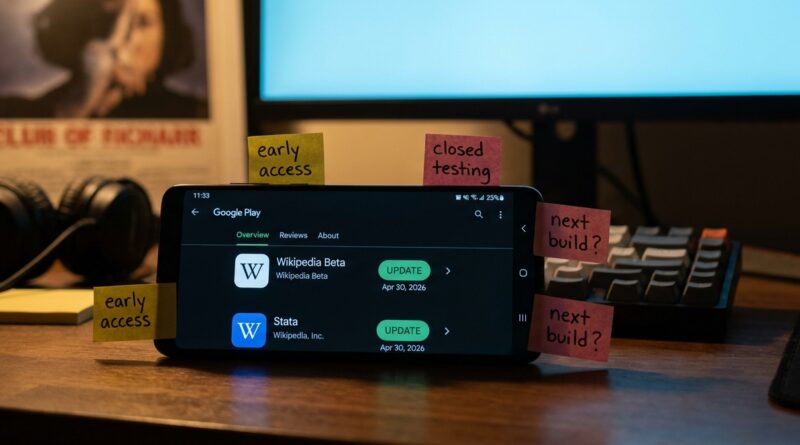
Tonight’s Wikipedia Beta Shortcut: How To Turn One Quiet App Update Into Your Daily Stream Of New Test Builds
You know the routine. You hear people talking about a fresh beta build, you tap the link, and it is already full. Then the big tech blogs show up a day later and tell you all about the thing you cannot join. That is annoying, especially when you are doing the legwork yourself through Reddit threads, Discord servers, Telegram groups, and random sign-up pages that may or may not be real.
Tonight, the Wikipedia Beta app update from April 30, 2026 is useful for a different reason. It is not flashy. That is exactly why it matters. Quiet updates like this often show how a team tests changes, labels builds, and rolls features out before anyone else starts shouting about them. If you learn how to install Wikipedia Beta next to the regular app, read its release notes properly, and track where those notes appear first, you can turn one simple app update into a repeatable system for finding app beta tests before they go public.
⚡ In a Hurry? Key Takeaways
- The best way to find app beta tests before they go public is to watch quiet app updates, beta changelogs, store listing changes, and tester communities before major sites notice them.
- Install Wikipedia Beta alongside the stable app, compare update notes, then use the same routine on Google Play, TestFlight, and beta-focused subreddits tonight.
- Stick to official store links and known tester channels. If a beta invite asks for odd permissions, APK sideloads from unknown sources, or payment, skip it.
Why this small Wikipedia Beta update is worth your time
On the surface, Wikipedia Beta does not sound exciting. It is not a game launch. It is not a flashy AI toy. It is not the kind of app people race to post screenshots of.
That is the whole point.
Serious previewers know the best clues often show up in the boring stuff. A small beta update can reveal how a team pushes builds, how often they change the listing, whether they test features server-side, and whether they keep a separate package that can live next to the stable app.
If you want to learn how to find app beta tests before they go public, this is a great practice run. The stakes are low, the app is safe and familiar, and the pattern works across plenty of other apps.
Step 1. Install Wikipedia Beta without replacing your regular app
On Android, this is usually the easy part
Wikipedia Beta typically exists as a separate listing from the standard Wikipedia app. That means you can install both at the same time. One is your everyday version. The other is your test bench.
Open the Google Play Store and search for “Wikipedia Beta.” Check the publisher name carefully. It should be the official Wikimedia Foundation listing. Install it like a normal app.
Once it is on your phone, do not just open it and shrug. Put it next to the stable version on your home screen. You want both visible so comparing them becomes quick and painless.
Why separate installs matter
This saves you from the usual beta headache. You do not have to risk your main app setup just to peek at a new build. More important, it teaches you to look for one of the best early-access signs in app stores: separate beta or preview listings.
When an app has a stable version and a separate beta app, that often means the team is willing to test in public before broader rollout. That is a clue worth following.
Step 2. Read the changelog like a developer, not like a casual user
Most people glance at release notes, see “bug fixes and improvements,” and move on. Previewers should do the opposite.
Start asking simple questions.
- Did the app update today or after a long gap?
- Does the wording mention experiments, navigation, sign-in, media handling, syncing, or accessibility?
- Did the screenshots, description, or data safety section change too?
- Does the beta update arrive before the stable app changes?
Even plain notes can be useful when paired with timing. A quiet build posted on April 30, 2026 may tell you a team is cleaning up a feature branch, preparing a bigger release, or testing under-the-hood changes before public rollout.
That is how you stop treating betas like lottery tickets and start treating them like patterns.
What to compare inside the app
Open stable Wikipedia first. Check menus, article view, settings, tabs, search behavior, image handling, and offline options. Then open Wikipedia Beta and do the same path again.
Take notes on tiny differences. Really tiny.
- Button placement
- Search speed
- Text rendering
- Share sheet behavior
- Menu labels
- Sign-in prompts
- Suggested edits or reading list changes
These little clues help you spot how teams test changes quietly. That same habit becomes gold when you move to harder-to-catch betas.
Step 3. Use Wikipedia Beta as your template for bigger beta hunts
Once you have done this with one calm, trustworthy app, repeat the exact process elsewhere.
That is the real win tonight.
Google Play Store
Search for an app name plus words like “beta,” “preview,” “early access,” or “test.” Then look at the developer page itself. Many companies hide their preview builds there instead of linking them clearly from the main app listing.
Also watch the “Join the beta” section on regular app listings. Sometimes a beta looks closed for weeks, then opens for a short burst after a new build goes live. If you already know the update pattern, you are more likely to catch that window.
TestFlight on iPhone
On iOS, things are a little messier because TestFlight slots fill quickly. Still, the same habits help. Watch official social accounts, release note pages, developer websites, and community posts for wording changes. A TestFlight invite often appears right after a support page update, a store screenshot refresh, or a soft launch in one region.
If you have ever missed an invite by ten minutes, you know why this matters.
Beta subreddits and Discord communities
Do not just hunt for direct links. Hunt for patterns. Which users post real invites early? Which subreddits focus on Android test tracks? Which Discord channels track TestFlight drops? Which communities ban scams fast?
You are building a watchlist, not just chasing one app.
This is similar to the rhythm behind Tonight’s AI Cinema Beta Shortcut: How To Turn Aihollywoods And Crossroads Into Your Personal Virtual Film Lab. Different category, same mindset. The trick is not waiting for a giant headline. It is learning where the early signals appear first.
How to spot a promising beta before everyone else piles in
1. Watch update timing, not just the update itself
If a beta app updates late at night, before the stable version, or in clusters over a few days, that can mean active testing. Active testing often leads to new openings.
2. Check package names and developer pages
Separate package names, preview labels, and hidden companion apps often reveal more than the public marketing does.
3. Compare store listing edits
A developer changing screenshots, feature bullets, or supported devices can be a stronger signal than a splashy press post.
4. Follow boring apps too
Everyone watches gaming and AI tools. Fewer people watch education, reading, utility, and nonprofit apps. That means less noise and better practice.
5. Save trusted sources now
Make a notes app list with official app pages, TestFlight directories, subreddit threads, and developer accounts. If you wait until a beta is trending, you are late.
Safety rules that save you from fake “beta” invites
There is always someone ready to exploit FOMO. Keep your guard up.
- Use official Play Store, App Store, or TestFlight links when possible.
- Be wary of APK files from unknown sites.
- Never pay for a normal public beta invite.
- Do not hand over login details to join a test.
- Read permissions before installing.
- If a community link feels rushed or weird, skip it.
A real beta can be buggy. It should not be shady.
Your simple nightly routine for finding new betas earlier
If you want a repeatable system, keep it simple.
- Check one quiet beta app, like Wikipedia Beta.
- Read the latest release notes and compare it to stable.
- Visit the developer page and look for other test listings.
- Check one TestFlight tracker or official iOS invite source.
- Scan two reliable beta communities for fresh links or reports.
- Save anything interesting to a shortlist, even if slots are full.
Do this for 15 minutes a night and you will start noticing patterns that casual users miss completely.
At a Glance: Comparison
| Feature/Aspect | Details | Verdict |
|---|---|---|
| Wikipedia Beta as a practice app | Separate install, familiar interface, low-risk testing, easy comparison with stable app | Excellent starter beta for learning the process |
| Finding early signals | Use changelogs, listing edits, developer pages, and timing patterns instead of waiting for news recaps | Best way to get ahead of crowded beta slots |
| Safety and reliability | Official store links and trusted communities reduce scams and bad installs | Always worth the extra minute of checking |
Conclusion
If you are tired of showing up after every good beta is already full, tonight’s Wikipedia Beta build gives you something more useful than a flashy feature. It gives you a method. Install it beside the stable app. Compare what changed. Read the changelog closely. Then repeat the same routine across Play Store listings, TestFlight pages, and beta communities. This helps the Previewers Network community today because Wikipedia Beta’s April 30, 2026 build is exactly the kind of quiet release serious previewers can use as a training ground. Once you know how to read these “boring” updates properly, you are not just hunting links anymore. You are spotting the next wave of app betas before they trend, not after.