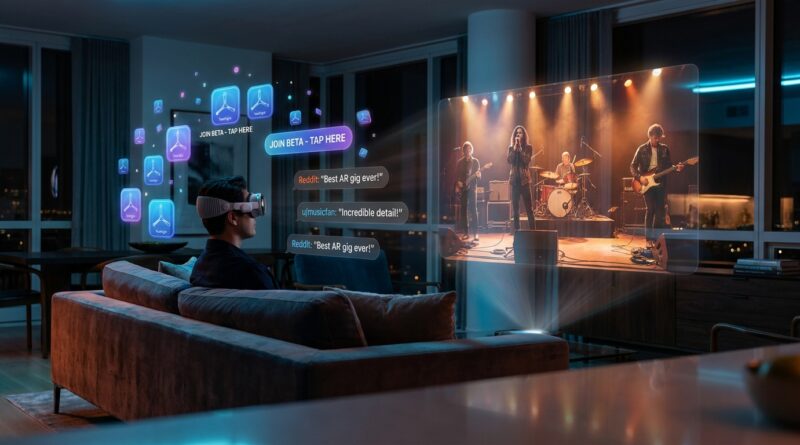
Tonight’s Vision Pro Backstage Pass: How To Turn Immersive Concert TestFlights Into Your First-Class Beta Seat
If you own an Apple Vision Pro, you have probably felt this already. You hear whispers about an immersive concert app, maybe see a blurry screenshot on X, and by the time you find the TestFlight link, the beta is full. It is frustrating because it makes early access feel like a private club instead of something regular users can actually join. The good news is this is not magic, and it is not just for influencers. There is a live path right now for people trying to figure out how to get into Apple Vision Pro immersive concert TestFlight beta releases before they go public. The trick is knowing where these launches actually start, how TestFlight limits work, and how to move fast without getting scammed. If you set up a simple system tonight, you can stop chasing rumors and start catching these mixed reality music apps while there are still seats left in the front row.
⚡ In a Hurry? Key Takeaways
- To get into an Apple Vision Pro immersive concert TestFlight beta, you need the TestFlight app installed, notifications turned on, and a fast way to monitor X, Discord, developer sites, and community invite posts.
- The best move is to build a repeatable alert system now, not after a beta link starts circulating and spots are almost gone.
- Only join betas through official TestFlight links or trusted developer channels, because fake invite pages and expired links are common once a buzzworthy app starts spreading.
The backstage door is real, and it usually opens quietly
Most Vision Pro betas do not launch with a big press release. They usually appear in much smaller places first. A founder posts on X. A Discord server gets a short announcement. A newsletter slips in a signup form. Sometimes a TestFlight link is shared to a tiny community and fills before tech media even notices.
That is why people feel like they are always late. They are looking in the App Store, but the first wave is happening outside the App Store.
For immersive concert apps, that pattern is even more common. These projects often involve music rights, event timing, private screenings, and limited content windows. Developers want a small, engaged group first. So they start with soft launches, not giant campaigns.
What you need before you chase any beta
1. Install TestFlight on every Apple device you use
This sounds obvious, but it matters. Make sure TestFlight is installed on your iPhone and, if supported by the beta, ready for your Vision Pro workflow too. A lot of users lose time downloading TestFlight after they finally find the invite.
Use the same Apple ID you expect to use with Vision Pro. Keep it simple. Less friction means better odds.
2. Turn on notifications
Turn on notifications for:
- TestFlight
- X
- Discord
- Safari, if you use web push from creator sites
If a developer emails accepted testers or drops a link in a server, speed matters. TestFlight slots can disappear in minutes.
3. Keep storage and system updates under control
Beta apps can be large, especially if they include immersive video assets. Make sure your Vision Pro has room and is updated to the version of visionOS the developer expects. Some betas only work on newer builds, and that catches people off guard.
How immersive concert TestFlights usually launch
Here is the part most people miss. There is a pattern.
Stage one: teaser posts
You will often see a short clip, a behind-the-scenes image, or a vague line like “looking for Vision Pro testers.” This is your earliest signal. It may not even mention TestFlight yet.
Stage two: community filtering
Developers then pull in their first testers from existing fans. Think Discord regulars, newsletter subscribers, Patreon supporters, or people who replied quickly on X.
Stage three: direct invite or public link
At this point, one of two things happens. Either they send private invites by email, or they post a public TestFlight link with limited spots.
Stage four: the press catches up later
By the time articles appear, the first beta wave is often already full. That is why waiting for coverage usually means missing out.
Your concrete playbook for getting in
Follow the right accounts, not just big Apple news accounts
Big news accounts are usually late. Follow:
- Immersive video studios
- XR music production companies
- Vision Pro indie developers
- Founders building media apps for visionOS
- Artists or labels experimenting with mixed reality
The developer or studio account is often where the first real signal appears.
Join the Discord even if you hate Discord
I know. A lot of people do not want another app or another server to babysit. But Discord is where many betas actually move from rumor to link. If an immersive concert app is being tested with a small audience, there is a very good chance updates are landing there first.
Look for channels named things like:
- beta-access
- announcements
- vision-pro
- testers
- early-access
Use notifications surgically
Do not turn on alerts for everyone. You will drown in noise. Pick a handful of high-value sources. Founders, product leads, official studio accounts, and the server announcement channels matter most.
Fill out every tester form you see
Many Vision Pro teams avoid dropping a totally public link. Instead, they use a simple form to collect:
- Email address
- Device model
- visionOS version
- Country
- Use case or interest
Fill those out right away. Keep a note on your phone with your device details so you can paste them in fast.
Respond like a good tester, not a raffle winner
Developers want useful beta users. If a form asks why you want access, do not just write “looks cool.” Say something real. For example, mention that you use Vision Pro regularly, watch immersive media, and are willing to send bug notes and usability feedback. That makes you more attractive than someone who just wants a sneak peek.
How to spot the live opportunity before everyone else
If there is a real, live immersive concerts TestFlight quietly filling up now, the signs usually look like this:
- A creator or startup account mentions “testing” or “invites”
- Users begin posting screenshots from inside the app
- A Discord gets busier around one new project
- A waitlist page appears before any App Store listing exists
- Replies start asking, “Is this TestFlight full already?”
That is the moment to move. Not tomorrow morning. Not after you read three hot takes about the future of entertainment. Right then.
How to move fast when a TestFlight link appears
Step 1: Open the link on an Apple device with TestFlight installed
That saves time and lowers the chance of browser weirdness.
Step 2: Accept immediately
Do not pause to read every post and comment first. Claim the spot. You can decide whether to install after.
Step 3: Check device compatibility
Some links are for iPhone companion apps first, then Vision Pro support later. Read carefully. If it is Vision Pro ready, install it there as soon as possible.
Step 4: Turn on automatic updates for the beta if you trust the developer
Concert and media apps often change quickly during testing. Auto-updates can save time if the app is being tuned daily.
How to avoid fake links and junk invites
This is important. Once an interesting Vision Pro beta starts getting attention, copycat links and sketchy signup pages can spread fast.
Stay safe with a few simple rules:
- Use official TestFlight links ending in Apple domains
- Prefer links shared by the developer, studio, or verified community mods
- Be careful with Google Forms that ask for more than basic tester info
- Never pay for a TestFlight invite unless it is clearly part of a legitimate membership community you already trust
- Do not hand over Apple ID passwords, ever
If a link feels off, wait for confirmation from the official project account.
Build a repeatable system so you are early next time too
The goal is not just one app. It is a system.
Create a “Vision Pro beta watchlist”
Make a simple note with:
- Developer names
- Studio names
- X handles
- Discord invite links
- Newsletter signup pages
- Any waitlists you have joined
This turns random hunting into a routine.
Check at the right times
Many indie teams post during business hours in the US, especially late morning through early evening Eastern Time or Pacific Time. Product drops also often happen Tuesday through Thursday. That is not a rule, but it is common enough to help.
Watch who early testers are
When you see someone posting screenshots from a new immersive app, check where they found it. Often the trail leads you straight to the real source, such as a founder thread, Discord server, or studio signup page.
Be useful once you get in
If you become known as someone who gives good feedback, you are more likely to get into future rounds. Beta communities remember the people who help.
What to expect from an immersive concert beta
These apps are exciting, but let me set expectations. A TestFlight is not the polished App Store version. You may run into:
- Long download times
- Streaming hiccups
- Heat or battery drain
- Menu bugs
- Rough edges in hand tracking or playback controls
That does not mean the project is bad. It means you are seeing it early, which is the whole point.
If anything, that is where Vision Pro betas feel most interesting. You get to see not just the content, but the shape of where immersive music experiences are heading. A concert app today might become a theatre capture app or music-documentary hybrid six months from now.
Why this matters more than another generic AR debate
People do not need more vague arguments about whether mixed reality will “change everything.” They need practical ways to try the stuff that is actually shipping.
That is especially true on Vision Pro, where many of the most interesting media experiments appear first in limited tests. If you can get comfortable tracking TestFlight launches, you stop being the person who reads about the future and start being the person who actually uses it.
At a Glance: Comparison
| Feature/Aspect | Details | Verdict |
|---|---|---|
| Best way to find the beta | Follow official developer accounts, join Discord servers, and sign up for waitlists before the public hears about the app. | Most effective |
| Fastest way to secure a spot | Have TestFlight installed, notifications on, and accept the invite immediately when a real Apple TestFlight link appears. | Critical if spots are limited |
| Biggest risk | Fake links, expired invites, or waiting too long because you are relying on mainstream coverage instead of source channels. | Easy to avoid with a little prep |
Conclusion
If you have been wondering how to get into Apple Vision Pro immersive concert TestFlight beta releases, the answer is not luck. It is preparation, speed, and knowing where these projects actually surface first. Right now, there is a real chance to catch an immersive concerts app while the beta is still filling and most people still have no idea it exists. That is the opening. Use it. More importantly, copy the process. Track the developers, join the right communities, keep TestFlight ready, and respond quickly when the next invite appears. Our community does not need another thinkpiece about AR. It needs a practical system for getting into these betas early, learning from how they launch, and making sure the next mixed reality concert, theatre capture, or music-documentary hybrid lands in your headset before the headlines do.