Today’s Hidden Galaxy XR Cinema Beta: How One Vistalyra Signup Turns You Into Your Crew’s Go‑To VR Movie Scout
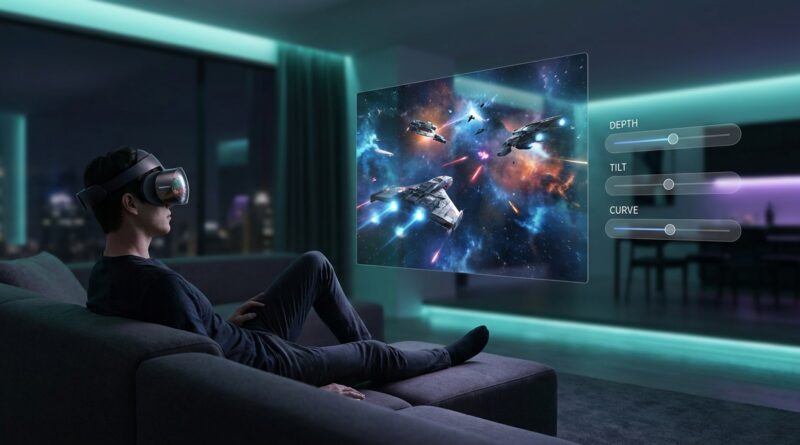
You do not spend Galaxy XR money because you want to watch films in what feels like a floating tech demo. You buy a headset like this because you want that lights-down, big-screen, shut-the-world-out feeling. Then reality hits. The built-in video apps are fine for showing off the display, but not always great for an actual movie night. Subtitles can feel awkward, comfort can fade after a long session, and the whole thing can seem one update away from being good. That is why the Vistalyra signup matters right now. Instead of waiting around for vague “future improvements,” Galaxy XR owners can jump into a live beta test for a VR cinema app that is still being shaped. Better yet, this is not one of those invite-only groups that quietly filled up months ago. It is a small, active test pool that is recruiting now, which means your feedback could genuinely help steer where the app goes next.
⚡ In a Hurry? Key Takeaways
- The Galaxy XR Vistalyra beta test VR cinema signup is one of the few open chances right now to try a real cinema-style player before wider release.
- If you own a Galaxy XR, sign up early and be ready to give useful feedback on subtitles, comfort, depth and session quality.
- This looks valuable because the tester pool is small, so thoughtful feedback is more likely to be seen and acted on.
Why Galaxy XR owners are paying attention
A lot of XR hardware gets sold on atmosphere. Giant virtual screens. Rich spatial depth. Private cinema vibes. Then you put the headset on and discover the software side is still catching up.
That gap is exactly why the Vistalyra beta is getting buzz. It is aimed at the part of the experience people actually care about after the wow factor wears off. Can you sit through a whole film comfortably? Are subtitles readable without feeling glued to your face? Does the screen feel properly cinematic, or just very large and very close?
Those are not small details. They are the difference between “neat demo” and “I would use this every weekend.”
What makes this beta different from the usual VR waiting game
Most of the time, VR fans hear about promising apps only after two annoying things have happened. One, the closed test is already full. Two, the core design choices are basically locked.
That does not seem to be the case here. The Vistalyra Galaxy XR beta is notable because it is a short, structured testing window with active recruitment happening now. For readers who like getting in early, that matters a lot.
Small tester pool, bigger voice
When a beta group is compact, your feedback has a better chance of being read instead of getting buried under hundreds of one-line comments. That is especially useful for movie apps, because the important stuff is often subtle.
You are not just reporting crashes. You are talking about eye strain after 90 minutes, whether dark scenes hold up, whether stereo depth feels natural, and whether the interface disappears enough to let the film do the talking.
It is about tuning the basics, not just hunting bugs
Bug reports matter, of course. But the best early tests shape comfort and usability. A VR cinema app lives or dies on basics like screen placement, subtitle sizing, brightness balance and how much neck or eye effort it takes to settle in.
If Vistalyra is still taking notes on those points, that is where Galaxy XR owners can really help.
What you should expect from the Vistalyra signup
Do not go in expecting a magic golden ticket. A beta is still a beta. Things can be rough. Features can shift. Build stability can vary from one update to the next.
What you should expect is a chance to try something earlier than the general public and to give feedback that is more specific than “looks cool.” If the signup is handled well, you will likely be asked about your headset setup, your media habits, and your tolerance for testing unfinished software.
That last part matters. If you are the kind of person who gets angry the second a menu stutters, skip it. If you like seeing how the sausage gets made, this is your lane.
How to be a useful tester instead of just an early user
Plenty of people join betas. Fewer actually help improve them. If you want your Galaxy XR Vistalyra beta test VR cinema feedback to matter, focus on things the team can act on.
1. Watch a full session, not just a five-minute demo
Comfort issues often show up late. A player can feel great for ten minutes and annoying by the end of a feature film. Try a longer watch if the beta allows it.
2. Take notes on subtitle readability
This is one of the biggest quality-of-life issues in virtual cinema. Pay attention to text size, brightness, placement and whether subtitles pull your eyes away from the main image too hard.
3. Check stereo depth with different kinds of content
Some scenes make depth feel natural. Others can make it feel forced or flat. If the app is aiming for a cinema-first experience, this is worth reporting clearly.
4. Be specific about comfort
Do not just say “it felt weird.” Say when it started, what you were watching, whether head position mattered, and whether changing seat distance or screen scale helped.
5. Compare it to what you already use
The best feedback often comes from direct comparison. If the stock Galaxy XR video experience feels thin in one area and Vistalyra improves it, say exactly how.
Why this matters more than another “coming soon” trailer
There is a big difference between hearing promises and seeing active testing. Marketing talks in feelings. Betas talk in details.
And details are what make movie watching work in VR. Not just a slick logo. Not just a moody teaser clip. Real use. Real feedback. Real adjustment before release.
That is why this kind of opportunity stands out. It puts regular Galaxy XR owners closer to the actual shaping of the product. You are not just waiting for a store page and hoping the final version fixes the obvious issues.
Who should sign up, and who can probably skip it
Good fit for the beta
Sign up if you already use your Galaxy XR for media, care about virtual cinema, and do not mind unfinished software. It is also a good fit if you notice small viewing issues that other people miss, because that is the kind of feedback teams need early.
Maybe skip it if you want a polished app today
If you just want a ready-to-go premium cinema app with no testing friction, a beta may frustrate you. Early access is exciting, but it can also be messy.
Think of this less like buying a ticket and more like joining a dress rehearsal.
At a Glance: Comparison
| Feature/Aspect | Details | Verdict |
|---|---|---|
| Access right now | Active recruitment appears to be open, which is rare for a niche XR movie beta. | Worth moving quickly if you want in. |
| What testers can influence | Core cinema basics like subtitle clarity, long-session comfort and stereo depth feel. | More useful than a late-stage promo test. |
| Risk level | It is beta software, so expect rough edges, changing builds and possible instability. | Best for patient users, not polish-only shoppers. |
Conclusion
The useful part here is simple. The Vistalyra Galaxy XR beta is not just another rumor or “watch this space” post. It looks like a real chance to get into a small, active tester pool while recruitment is still open. For Galaxy XR owners who want a proper VR cinema and not another half-finished showroom app, that is a big deal. If you join now, you may help shape the boring-but-important parts that decide whether an app becomes a habit or gets forgotten, things like subtitle readability, comfort over long sessions and how convincing the screen depth feels. That is exactly the kind of early access our community should care about. It puts readers in the room while decisions are still being made, instead of leaving them to react later to a polished trailer after all the important choices are already locked.