Tonight’s Surprise Playtest: How To Turn Official Game Test Servers Into Free Early-Access Events
You are not crazy. Finding real game test servers early access can feel like trying to catch a train that left five minutes ago. One post says sign-ups are live. Another link is dead. A Reddit comment points to a Discord that points to a forum thread from last season. By the time you sort it out, the server is full, the build is region locked, or the invite form has vanished. That is the annoying part. Most of these chances are real, but they open quietly and close fast.
The good news is you do not need insider status to catch more of them. You just need a better system. Official test servers, public betas, technical alphas, TestFlight slots, Google Play beta tracks, and preview branches on PC often work like pop-up events. If you know where studios post first, how to spot the official download path, and how to prepare your device before the link drops, you can get in far more often. Tonight, that matters more than ever, because mobile shooters, OS previews, and sim overhauls are all opening narrow windows at the same time.
⚡ In a Hurry? Key Takeaways
- To find and join game test servers early access, start with official Discords, X accounts, community forums, TestFlight pages, Google Play beta links, and Steam news posts, not random APK sites.
- Prepare before the drop by signing into the right store account, clearing storage, joining official communities, and turning on alerts for test server keywords.
- Stick to official links only. Fast-moving test builds attract fake download pages, stale invites, and sketchy “unlocked beta” files.
Why the best early-access chances are hiding in test channels
Studios do not always treat test servers like big marketing launches. Sometimes they want focused feedback. Sometimes they are checking server load. Sometimes they are trying out one new map, one balance patch, or a visual change before pushing it to everyone.
That means the best stuff often appears in places regular players do not watch closely enough. Not the app store front page. Not a giant trailer. More often it is a pinned Discord post, a community tab update, a TestFlight invitation, or a forum thread with a plain-looking download link that disappears in three days.
If your goal is how to find and join game test servers early access, think less like a shopper and more like someone watching for limited event tickets.
The five places official test server links usually appear first
1. Official Discord servers
This is the big one now. Many studios post beta news in a dedicated announcements channel before it reaches the wider web. Look for channels called announcements, test-server-news, alpha-signup, patch-notes, or community-news.
Good signs you are in the right place include a verified server badge, links from the game’s official website, and staff roles you can actually verify.
2. The game’s official X, Facebook, or community account
Yes, social posts can still be messy. But they are often where the first public link appears. For mobile games in particular, an official X post may include the Android package link, region details, and a warning that spaces are limited.
Turn on notifications for the games you care about. It sounds basic, but this is still one of the easiest wins.
3. Steam news pages and beta branches
PC games often hide early builds in plain sight. Check the game’s Steam news feed, community hub, and the Betas tab in Properties. Some devs share passwords in patch notes, on Discord, or in announcement posts.
If you play sims, strategy titles, or early access PC games, this matters a lot. Rendering changes, server rewrites, and feature previews frequently show up here first.
4. TestFlight and Google Play testing pages
Mobile betas are often split by platform. iPhone and iPad users usually need a TestFlight invite, while Android users may get a Play Store testing link or a direct APK from the publisher.
If you keep missing Android closed betas, our guide on The 14‑Day Beta Loophole: How Previewers Can Ride The Google Play Test Wave For Constant Early Access is worth a look. It explains why some test windows feel random and how to stay ready for them instead of hearing about them after they are full.
5. Official forums and support pages
This is where older publishers and bigger live-service games still post technical details. If a test build has region rules, minimum specs, known bugs, or uninstall instructions, those details often live in a support article or forum sticky.
Do not skip this step. It is usually where you learn whether your progress will carry over, whether the server is capped, and whether VPN use will get you blocked.
Your “tonight” checklist for catching short-lived test slots
If a test window might open this evening, do these things now, not after the link appears.
Sign into the right accounts
Make sure your Apple ID, Google account, Steam account, Activision account, or publisher login is already working on the device you plan to use. Half the battle is not fumbling with password resets when the build is filling up.
Install the tools in advance
For iPhone, have TestFlight installed already. For Android, make sure you know whether your phone allows installs from official browser downloads when a publisher uses a direct package. For PC, make sure your launcher and game files are updated.
Free up storage
Test builds are often huge and badly compressed. If your device is nearly full, you can miss your chance while deleting old screenshots and unused apps.
Turn on alerts for the right words
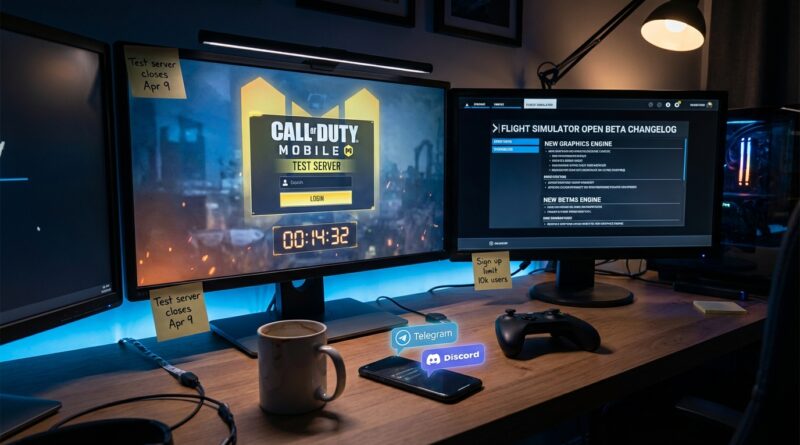
Set notifications or saved searches for terms like “public test build,” “PTR,” “technical test,” “alpha signup,” “TestFlight,” “limited slots,” and the game’s season number. This is especially useful for titles like COD Mobile, where public test servers may only stay available until player caps are hit.
Join one official community, not ten random ones
You do not need to drown in rumor channels. One official Discord and one official social account are usually enough. That keeps the signal cleaner.
How to tell if a test server link is real
This matters because fake early-access links spread fast, especially when a popular game is involved.
Check the domain
If the link comes from the publisher’s official website, official link shortener, official app store page, Steam, TestFlight, or a verified social profile, that is a good sign. If it comes from “beta-unlocker-free-download” style sites, walk away.
Match the link to an official post
A real test download should be referenced in at least one official place. A social post should match the forum thread. A Discord announcement should match the website. If there is no second source, be cautious.
Watch for impossible promises
Real tests have limits. They expire. They have bugs. They may wipe progress. Fake ones promise guaranteed access, all skins unlocked, or secret invites for everyone.
Do not trust random APK mirrors first
Sometimes people repost legitimate files. Sometimes they do not. If the game studio has its own package link, use that one. If not, wait for the official store path.
What is happening right now, and why readers should care tonight
Right now is one of those rare moments when several kinds of test channels are active at once. COD Mobile’s Season 4 public test server has the kind of draw that fills quickly because players want early looks at map tweaks, weapon changes, and seasonal features. At the same time, major mobile OS previews are rolling out through beta channels, and flight sim visual and rendering overhauls are being tested in preview branches.
That mix matters because it shows this is not just a “hardcore gamer” trick. The same habits help whether you want to try a shooter update, a new mobile software build, or a sim graphics overhaul before general release.
Region locks, capped slots, and other reasons you still might get blocked
Sometimes you do everything right and still hit a wall. That does not always mean you were late.
Region restrictions
Some tests are limited by country because of server load, legal rules, or language support. If the official post says certain regions only, take that seriously. Trying to force your way in can lead to errors or account trouble.
Player caps
Many public tests are not really unlimited. The studio may say “first 30,000 players” or may stop new joins without much warning once the server load target is met.
Device compatibility
Older phones, weaker tablets, and unsupported GPUs often get left out of technical tests because the studio is checking specific hardware paths.
Account age or level requirements
Some games want established players in the pool so feedback is more useful. If your account is brand new, you might be blocked from the test even with the right link.
A smarter way to track test servers without living on forums
You do not need to spend your evening reading 40-page threads. Build a tiny watchlist instead.
- Pick 5 games or platforms you care about most.
- Follow their official website, one official social account, and one official Discord or forum.
- Turn on mobile alerts only for those.
- Check once in the morning and once in the evening.
- Save a notes app list with account logins, install steps, and region details.
That routine beats doom-scrolling rumor posts. It also makes you faster when a test server opens for only a few hours.
Safety rules I would give any friend before installing a test build
Back up your stuff first. Expect bugs. Use a spare device if you have one. And never assume a test server build is as stable as the public version.
For mobile, make sure you know how to leave the beta and return to the normal app version. For PC, check whether the test branch uses separate save data. For multiplayer games, read whether the test build resets progress and whether purchases carry over. Most do not.
Also, remember that “official test” does not mean “private forever.” If there is an NDA, follow it. If there is not, expect footage and impressions to spread quickly.
At a Glance: Comparison
| Feature/Aspect | Details | Verdict |
|---|---|---|
| Best source for fresh links | Official Discord announcements, verified social posts, Steam news, TestFlight, and Google Play beta pages | Use these first. They are faster and safer than fan reposts. |
| Fastest way to improve your odds | Pre-install tools, sign in ahead of time, clear storage, and enable alerts for test keywords | This is the easiest win if you keep arriving too late. |
| Biggest risk | Fake beta pages, expired links, region locks, and unsupported devices | Always confirm with an official source before you install anything. |
Conclusion
The trick is not secret access. It is timing, preparation, and knowing where official test channels actually live. Right now, some of the most exciting pre-release experiments are not sitting in app stores or on neat studio mailing lists. They are hiding in official test servers and beta channels that open and close inside a week, sometimes inside a day. With COD Mobile’s Season 4 public test server, major mobile OS betas, and flight-sim rendering overhauls all moving at once, readers need a practical way to grab those short-lived spots before they are throttled or geo-locked. Treat these tests like pop-up premieres. Keep your accounts ready, watch the official channels, and move fast when the link goes live. Do that, and tonight you have a much better shot at real hands-on early access, not just another recycled roundup post.