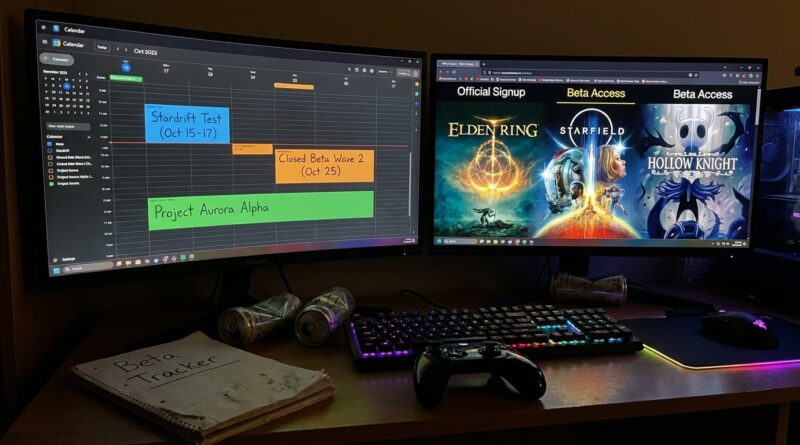
Tonight’s Cross‑Platform Jackpot: How To Turn April’s Hottest Game Betas Into Your Personal Early‑Access Calendar
You know the feeling. You see a flashy post about a closed beta for a game you actually care about, click through, and find out the sign-up window closed yesterday. Or worse, the “news” came from a random Discord screenshot and was never real in the first place. That gets old fast. If you want to know how to find and join upcoming closed beta games April 2026, the trick is not chasing hype. It is building one simple system that catches real sign-up windows before they fill up. Right now is a great time to do it because several big cross-platform games have opened or confirmed fresh late-April beta waves. That means you still have time to act. Instead of tossing you a pile of links that will be outdated by next week, this guide gives you a clean way to track betas, sort the ones worth your time, and apply quickly without turning your evenings into a full-time rumor hunt.
⚡ In a Hurry? Key Takeaways
- The best way to find and join upcoming closed beta games in April 2026 is to track official game pages, platform wishlists, and publisher sign-up forms in one place.
- Make a simple personal calendar with alerts for application deadlines, platform requirements, and invite-wave dates so you do not miss the actual email.
- Stick to official sources only. Fake beta invites and scam key sellers always spike when big-name tests start rolling out.
Stop hunting rumors. Start building a beta calendar.
Most people miss betas for one boring reason. They never see the official sign-up post in time.
Studios rarely make closed beta access as loud as a launch trailer. They might post an application link on a game site, tuck an opt-in inside Steam, add a note on PlayStation or Xbox store pages, or drop a short social post that vanishes under the next wave of announcements.
So the answer is not “follow more accounts.” That gets messy. The better move is to create a personal early-access calendar with three buckets.
Bucket 1: Confirmed open applications
These are betas with a live sign-up form, store opt-in, or account registration page right now. This is your first priority. Apply first. Read later.
Bucket 2: Confirmed upcoming waves
These are games where the publisher has said more invites are coming in late April, but applications may happen in batches. Add these to your watch list with reminders.
Bucket 3: Strong signals, not yet open
Think “wishlist now,” “register interest,” or “follow for future tests.” These are not active betas yet, but they are still worth tracking if the game fits your taste.
Where to find real beta sign-ups without wasting your night
1. Official game websites
This is still the cleanest source. Search the game title plus “beta,” “playtest,” “insider program,” or “register.” If the page asks you to log into a publisher account, that is normal. If it asks you to pay for access, be careful. Closed betas are usually free, unless you are looking at a founder’s pack or deluxe preorder bonus.
2. Steam playtest and store pages
For PC players, Steam is one of the easiest ways to find active tests. Some games use a “Request Access” button right on the store page. Others hide beta news in the updates section. Wishlist the game, then check whether the page includes a playtest request or an announcement about invite waves.
3. PlayStation and Xbox insider channels
Console betas often run through platform-specific systems. On Xbox, some tests show up through Insider-style programs or publisher account links. On PlayStation, you may see sign-ups tied to PSN-linked forms or official store promotions. If a test says “cross-platform,” do not assume every platform opens at the same time. Check the fine print.
4. Publisher hubs and account dashboards
Ubisoft, EA, Riot, Blizzard, Nexon, Bandai Namco, and other big publishers often centralize tests in account dashboards. If you already have an account, log in and check your communication settings. A lot of players miss invites because they never allowed beta emails from the publisher.
5. Official Discord and social posts, but only as pointers
Discord can be useful. It can also be a mess. Use it as a pointer to the official sign-up page, not as proof by itself. Same goes for X, Reddit, TikTok, and fan forums. If the sign-up link does not lead to a verified studio or publisher site, do not trust it.
How to sort which betas are actually worth your time
Not every “hot” beta deserves a spot on your calendar. A little sorting saves you from signing up for ten games and forgetting why you wanted any of them.
Ask these four questions
Is it your kind of game?
Sounds obvious, but hype makes people weird. If you hate extraction shooters, do not burn energy chasing every extraction beta.
What platforms are supported?
Some tests say “cross-platform” but only include PC and one console in the current wave. Others support cross-play later, not during the beta.
What is the date window?
A sign-up that closes tonight matters more than a test planned for mid-May.
How likely are you to get in?
Smaller niche games may give you better odds than giant blockbuster tests with millions of applicants. If your goal is early access, mix both.
Your 10-minute early-access setup for late April
Here is the simple system I recommend.
Step 1: Make one note called “April 2026 Betas”
Use Apple Notes, Google Keep, Notion, OneNote, or plain old paper. Keep it easy. Add five columns or bullet points for each game:
- Game name
- Application link
- Platform
- Deadline or expected invite wave
- Status, applied, waiting, invited, expired
Step 2: Add calendar alerts
Set one reminder for the sign-up deadline and another for the expected invite date. This second reminder matters. Plenty of people apply, then miss the acceptance email sitting quietly in promotions or spam.
Step 3: Check email filters now
Add publisher domains to your safe sender list if possible. Search your inbox for old messages from that publisher and mark them important. If your email app has categories, tell it not to bury those messages.
Step 4: Use wishlists as backup radar
Wishlisting a game on Steam, PlayStation, or Xbox will not guarantee beta access, but it often helps you catch updates fast. Think of it as a backup alarm.
Step 5: Review your list twice a week
You do not need to obsess over it every hour. Tuesday and Friday is enough for most players. That keeps your list fresh without turning this into homework.
What “cross-platform” usually means, and what it does not
This trips people up all the time.
Cross-platform can mean one of several things:
- The beta is available on more than one platform
- The beta supports cross-play between platforms
- The game will support cross-progression later, but not during the test
Those are not the same thing. A game can be in beta on PC, PlayStation, and Xbox, but still keep players in separate pools during testing. Another might let you sign up on every platform but only hand out PC keys in the first wave.
So before you apply, check:
- Which platforms are active in this specific beta wave
- Whether progress carries over
- Whether NDA rules apply
- Whether console access needs a subscription or separate platform approval
How to spot fake beta invites and avoid getting burned
Whenever a popular game opens a closed beta, scammers smell blood in the water.
Red flags to watch for
- “Guaranteed beta key” listings from unofficial sellers
- Emails from domains that do not match the publisher
- Discord messages asking you to “verify” your Steam or console login through a random link
- Sites that ask for payment to “unlock your beta slot”
- Social posts with broken grammar and urgent countdown pressure
The safest rule is simple. If you did not come from an official website, store page, or verified publisher account, stop and double-check before clicking anything.
A practical way to prioritize April 2026 beta opportunities
If several headline games are opening fresh late-April waves, do not treat them all equally. Rank them like this:
Top priority
Games with live applications and short windows. If applications are open now, do those first.
Second priority
Games with announced invite batches over the next one to two weeks. These deserve a calendar reminder and a quick check-in.
Third priority
Wishlist-only or “more details soon” games. Useful, but not urgent.
This is the part most people skip. They browse ten posts, feel informed, and still miss the two betas that were actually accepting applications that day.
The repeatable system that works month after month
If you want a lasting answer to how to find and join upcoming closed beta games April 2026, the real win is building a habit you can reuse in May, June, and beyond.
Here is the monthly loop:
- Week 1: Search official sources for new opt-ins
- Week 2: Clean up your list and remove expired tests
- Week 3: Check invite waves and confirm platform details
- Week 4: Prepare for next month by wishlisting and following likely candidates
That is it. Not glamorous. Very effective.
At a Glance: Comparison
| Feature/Aspect | Details | Verdict |
|---|---|---|
| Best source for real beta access | Official game sites, publisher account pages, Steam playtest buttons, and verified platform listings | Use these first, every time |
| Fastest way to avoid missing invite waves | A personal note plus two calendar reminders, one for sign-up, one for email invites | Simple and surprisingly reliable |
| Biggest risk | Fake keys, scam invites, and rumor posts that never link back to official sources | If it is not official, treat it as noise |
Conclusion
This is exactly the right moment to get organized. Several headline games have just confirmed fresh beta waves for late April, which means you still have a real shot at getting in before the doors close. That is the difference between being early and reading everybody else’s impressions after the fact. More important, once you build a clean little system with official sources, reminders, and a short priority list, you will not need to start from scratch every time a new test appears. You are not just chasing this week’s sign-up links. You are building a repeatable way to grab early seats in the biggest betas over the next few weeks, and the next few months too.